
Saloma AI / Reports
Review AI calls.
Track usage and costs.
Saloma call reports show what happened during a call. Read AI summaries and available transcripts, which are written records of speech. Download usage reports and check invoices issued to your business.
Call reports, summaries & usage
Review calls and check your costs.
Read call outcomes, AI summaries and available transcripts. Check workflow actions and call costs. Export usage by agent, workspace, service or date for your team.
- Find the calls you need to review. Filter by workspace, campaign, call direction and date. Check outcomes, detected languages, language changes and classification gaps. Share permitted exports and set up scheduled call-report emails.
- Investigate delays and failed steps. Review available AI response times, workflow steps and SIP messages, which show phone-system signalling. Show Flow measures response stages for supported new Google live calls. It does not measure every model or call type.
- Export PDF and CSV usage reports. Filter by date, agent, workspace or service. CSV files can be opened in a spreadsheet. Reports flag missing records or costs not assigned to a group. A usage report is not an issued invoice.
- Download invoices issued to your business. Approved platform administrators can check drafts, issue numbered invoices and email them. They can void an incorrect invoice with a recorded reason. Issued invoices keep the details used when they were created.
- Check call and internal-test charges. Customer charges are separate from restricted provider-cost views. Saved rates and billing records support cost checks and invoice-style exports. Past usage keeps the rates originally applied.
- Review names in AI summaries. Summaries can use spellings saved in the agent’s settings. A platform administrator chooses the summary model. AI summaries can contain mistakes and still need review.
- Give technical staff the records they need. Approved administrators can export supported service logs and check SIP phone connections and registrations. They can also review recording storage and limits on accepting new calls.
See the product
Review call results and usage.
Check answer rates, call outcomes, quality measures and detected languages.
Actual product screen with sample data, not live customer records. Available controls depend on your role and setup.
View the console tour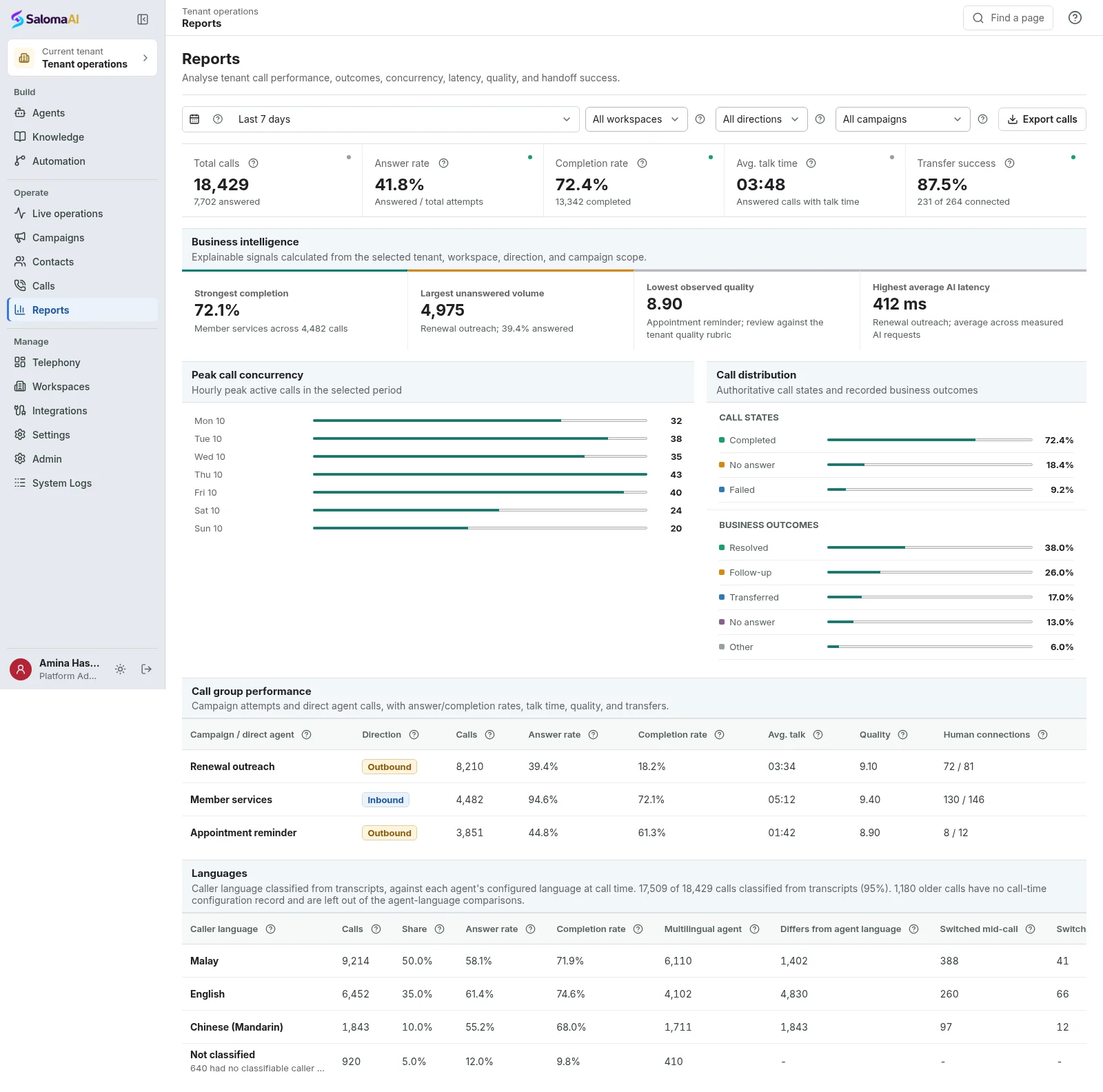
See Saloma for your business
See how Saloma
handles your calls.
Tell us about your customer calls, languages and business tools. We will show you the relevant features and explain the setup.
Already using Saloma? Sign in to manage your agents and calls.