Platform / Website voice
Add an AI call button
to your website.
Saloma Web Talk is an AI voice widget for your website. Visitors tap a call button and speak to your agent in a supported browser. Set your branding, access rules and call limits.
Web Talk / Website voice
Let visitors talk
to your AI agent.
Add a short script to your website to show the AI call button. Visitors can ask questions by voice without leaving the page. They need a supported browser and microphone access.
- Match your website. Set the button’s logo, colours and position. Place it around other website widgets.
- Manage calls in one place. Website calls appear beside phone calls. Approved staff can listen, take over and check usage.
- Control access and usage. Approve website domains and set call limits. You can also ask for consent and add bot checks.
- 01A visitor taps your call button.
They choose to start and allow microphone access.
- 02Your AI agent answers.
The visitor speaks and hears replies in the browser.
- 03Your team can help.
Approved staff can monitor or take over in Live Operations.
Web Talk requirements and controls
See the product
Set up your website call button.
Choose the AI agent for Web Talk. Set website access, button appearance and call limits.
Actual product screen with sample data, not live customer records. Available controls depend on your role and setup.
View the console tour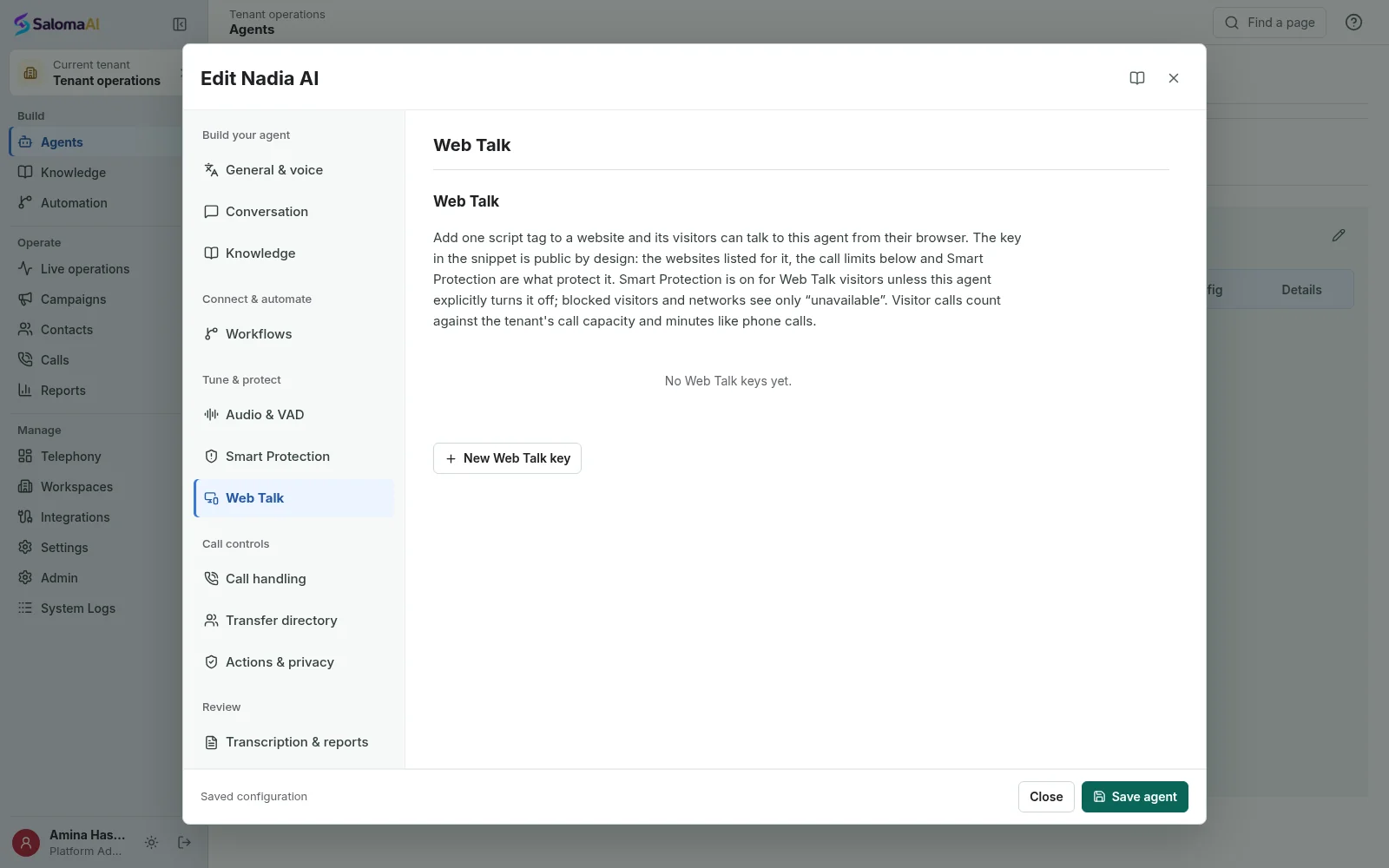
Recorded voice demo
Hear how the
AI agent sounds.
The Hope Clinic recording is an example of an AI enquiry. It is not a customer case study. You do not need a microphone to play it.
Hope Clinic Demo
A recorded AI clinic enquiry. Demo, not a customer case study.
Having trouble? Open the audio sample.
See Saloma for your business
See how Saloma
handles your calls.
Tell us about your customer calls, languages and business tools. We will show you the relevant features and explain the setup.
Already using Saloma? Sign in to manage your agents and calls.