
Platform / Phone calls
Answer customer calls.
Manage follow-up calls.
Use Saloma as an AI receptionist to answer incoming calls and common questions. Plan outbound calls for reminders, callbacks and surveys. Manage both from the same console.
AI phone answering and calling
Incoming calls.
Outbound campaigns.
One platform.
Use an AI receptionist for common questions and calls outside office hours. Plan outbound calls for reminders and follow-ups. Set up human support for requests the AI should not handle.
Choose how your calls run.
Inbound means incoming calls. Outbound means calls your business makes. Combine both with hybrid calling. Set consent, opt-out rules, calling speed and capacity limits. Pause or resume campaigns when needed.
Answer incoming customer calls.
Use an AI receptionist for common questions and service requests. Set up call transfers to your team, including a plan for calls outside office hours.
- Your business numberCustomer calls
- Saloma AIListen. Understand. Respond.
- Answer or staff supportAnswer or route
Use the business information you approve. Transfer to an authorised team member when needed. Transfer features depend on the chosen model and phone setup.
Plan outbound calls and follow-ups.
Run scheduled calls for reminders, callbacks and surveys. Use progressive calling, which places calls as capacity becomes available.
- Approved contact listCampaign starts
- Saloma AIListen. Understand. Respond.
- A recorded outcomeConnect or retry
Preview contacts from a CSV file and remove duplicates. Set consent, do-not-call rules, retries and call limits. Schedule call windows and holidays in the assigned agent’s time zone.
Manage incoming and outgoing calls together.
Hybrid calling combines incoming service calls and outbound campaigns. Reserve call capacity for customers who phone your business.
- One call teamCalls in + out
- Saloma AIListen. Understand. Respond.
- Room for incoming callsBalance capacity
Keep capacity for incoming calls while outbound campaigns run. Your team can see live calls and available capacity in one place.
See the product
Manage your call campaigns.
Manage incoming calls, outbound campaigns or both. Check progress and set when campaigns run.
Actual product screen with sample data, not live customer records. Available controls depend on your role and setup.
View the console tour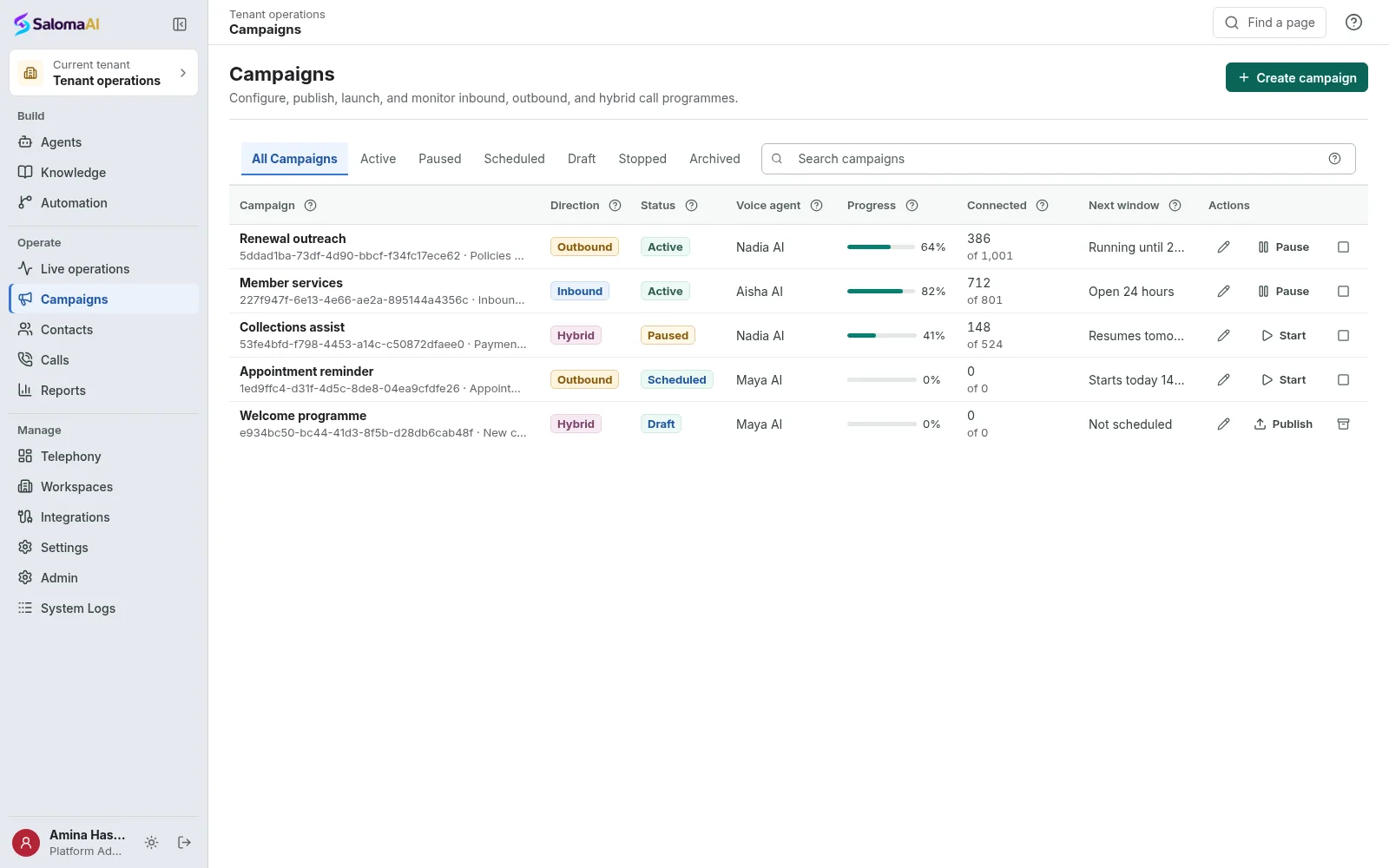
See Saloma for your business
See how Saloma
handles your calls.
Tell us about your customer calls, languages and business tools. We will show you the relevant features and explain the setup.
Already using Saloma? Sign in to manage your agents and calls.