
Saloma AI / Console tour
See the Saloma
management console.
The Saloma console is where your team manages AI agents, calls and reports. Explore eight product screens, starting with Live Operations. All examples use sample data, not live customer records.
Inside Saloma
Manage agents, calls
and reports.
Use the console to set up agents, monitor calls and review results. Choose a tab to see each part of the product.
Actual product screens with sample data, not live customer records. Available controls depend on your role and setup.
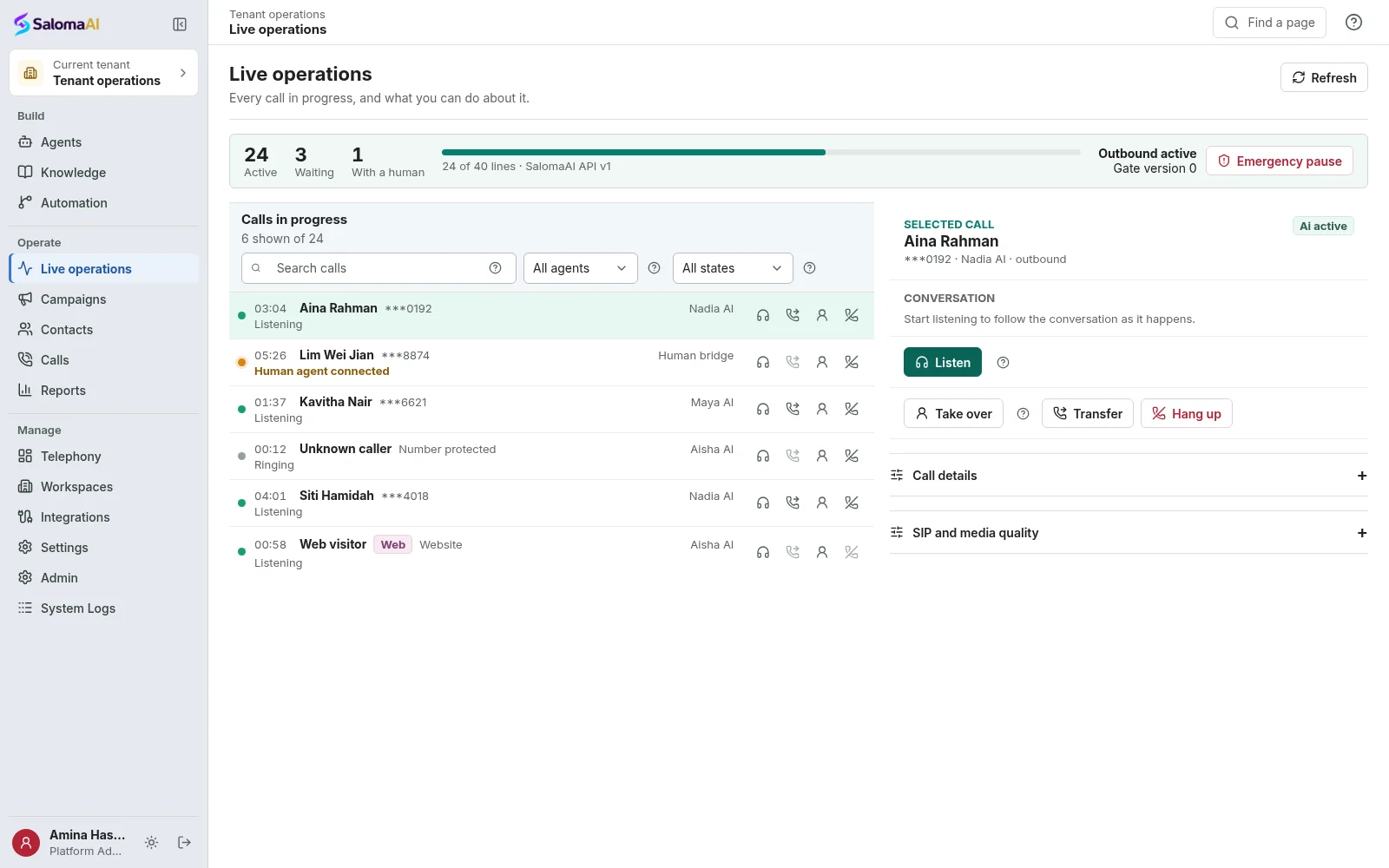
Monitor calls in Live Operations.
See current calls, queued calls and available capacity in one console view.
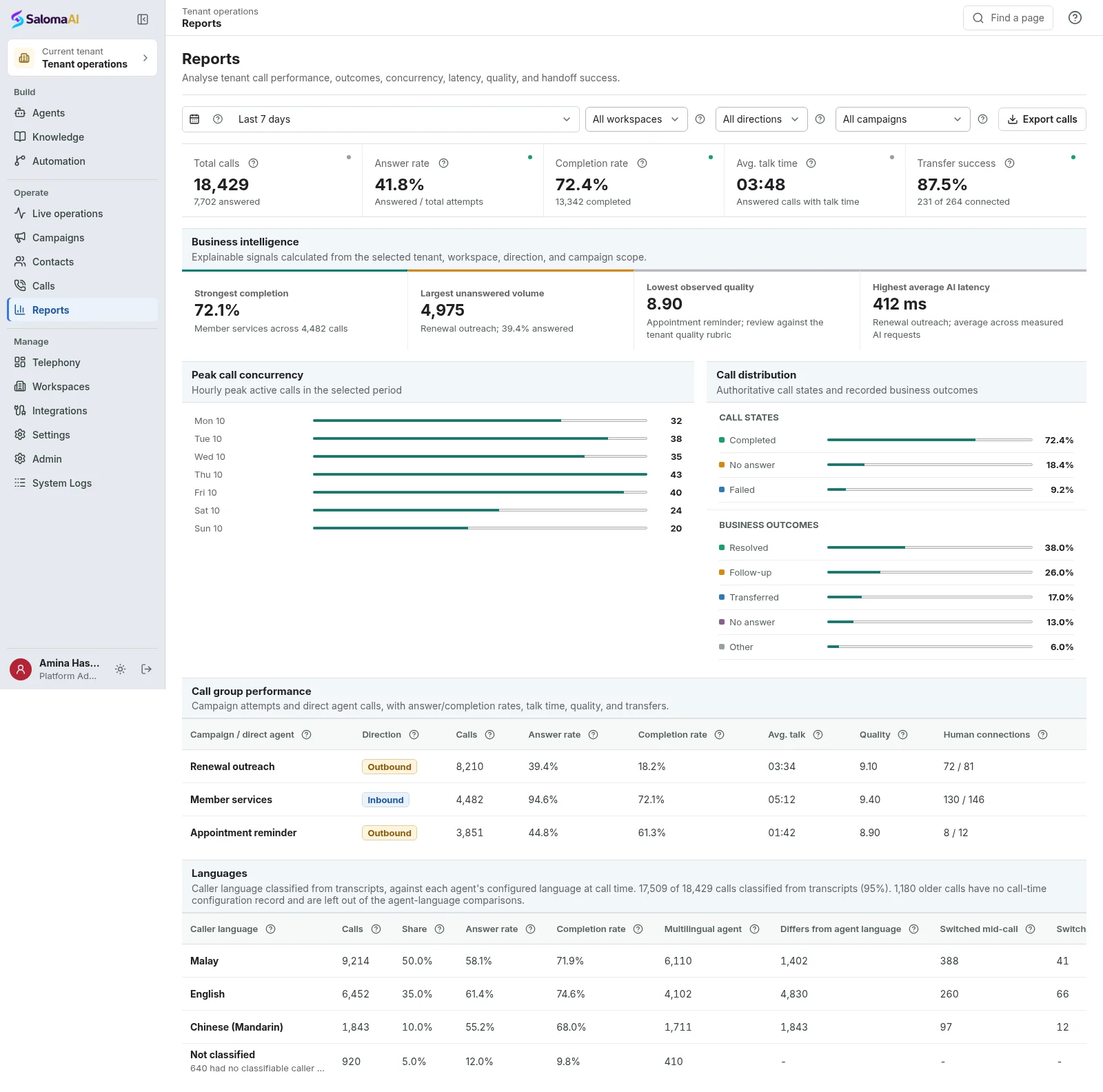
Review call results and usage.
Check answer rates, call outcomes, quality measures and detected languages.
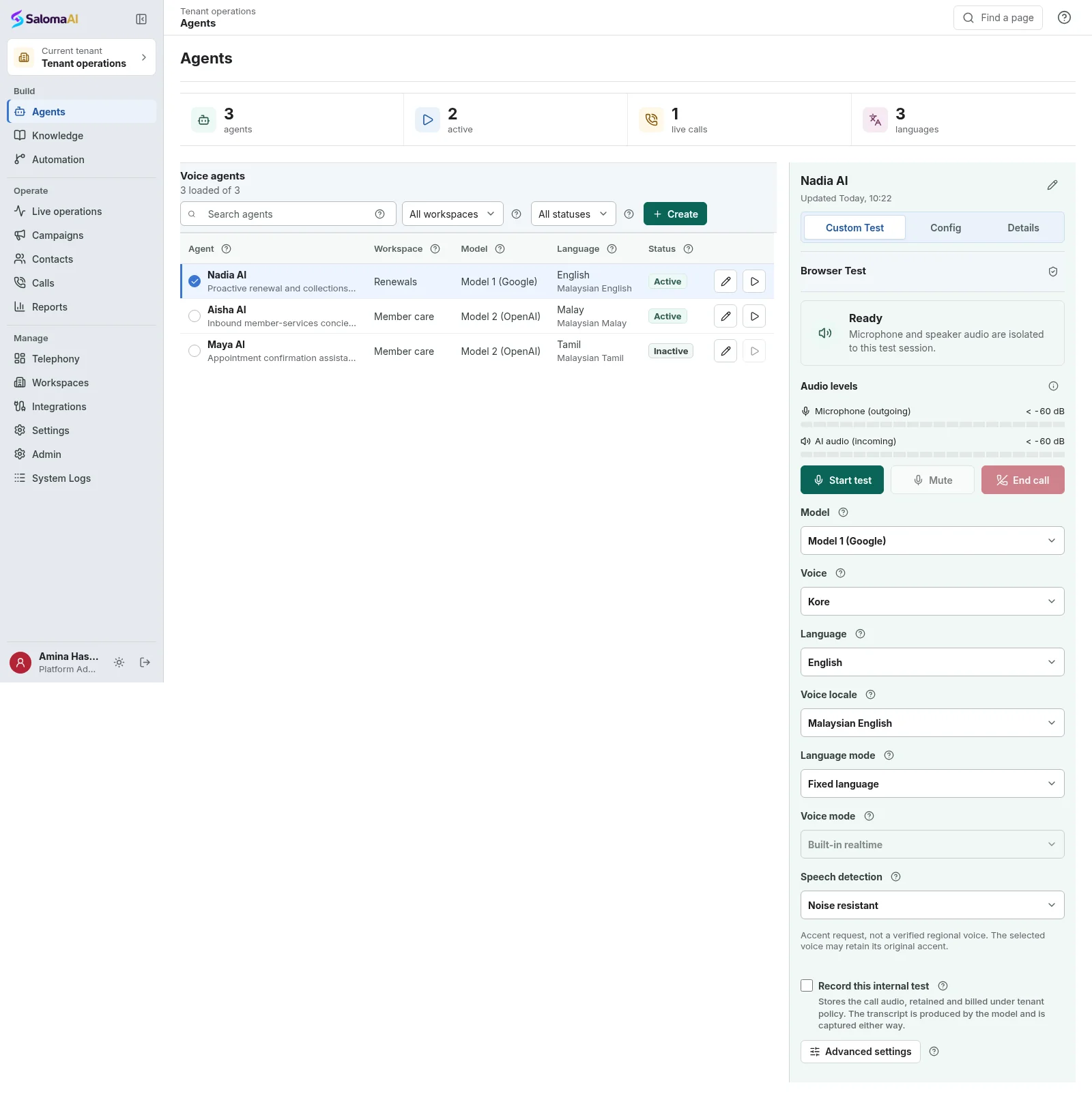
Set up and test your AI agents.
Manage your agents, choose their language and voice, and test conversations before launch.
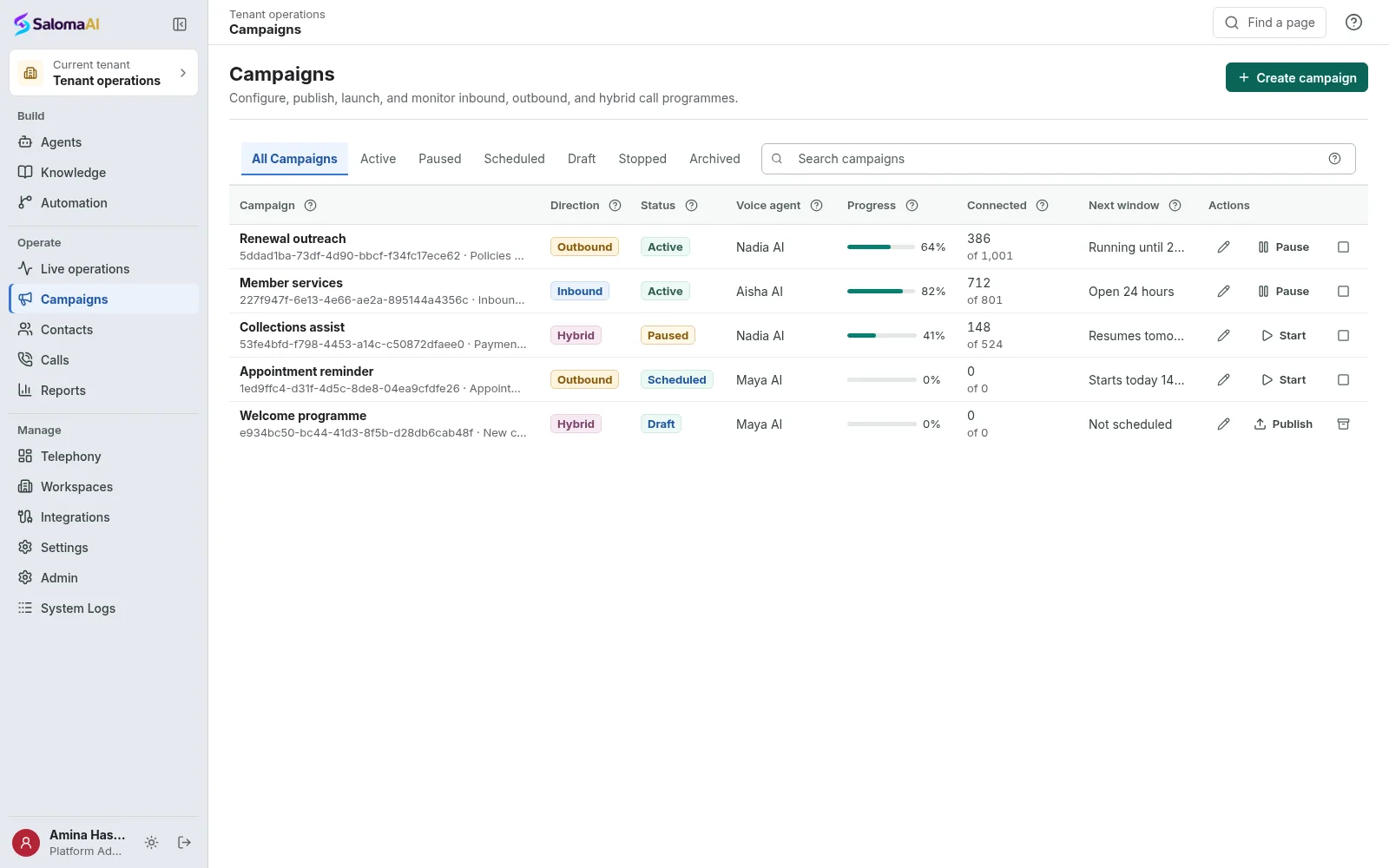
Manage your call campaigns.
Manage incoming calls, outbound campaigns or both. Check progress and set when campaigns run.
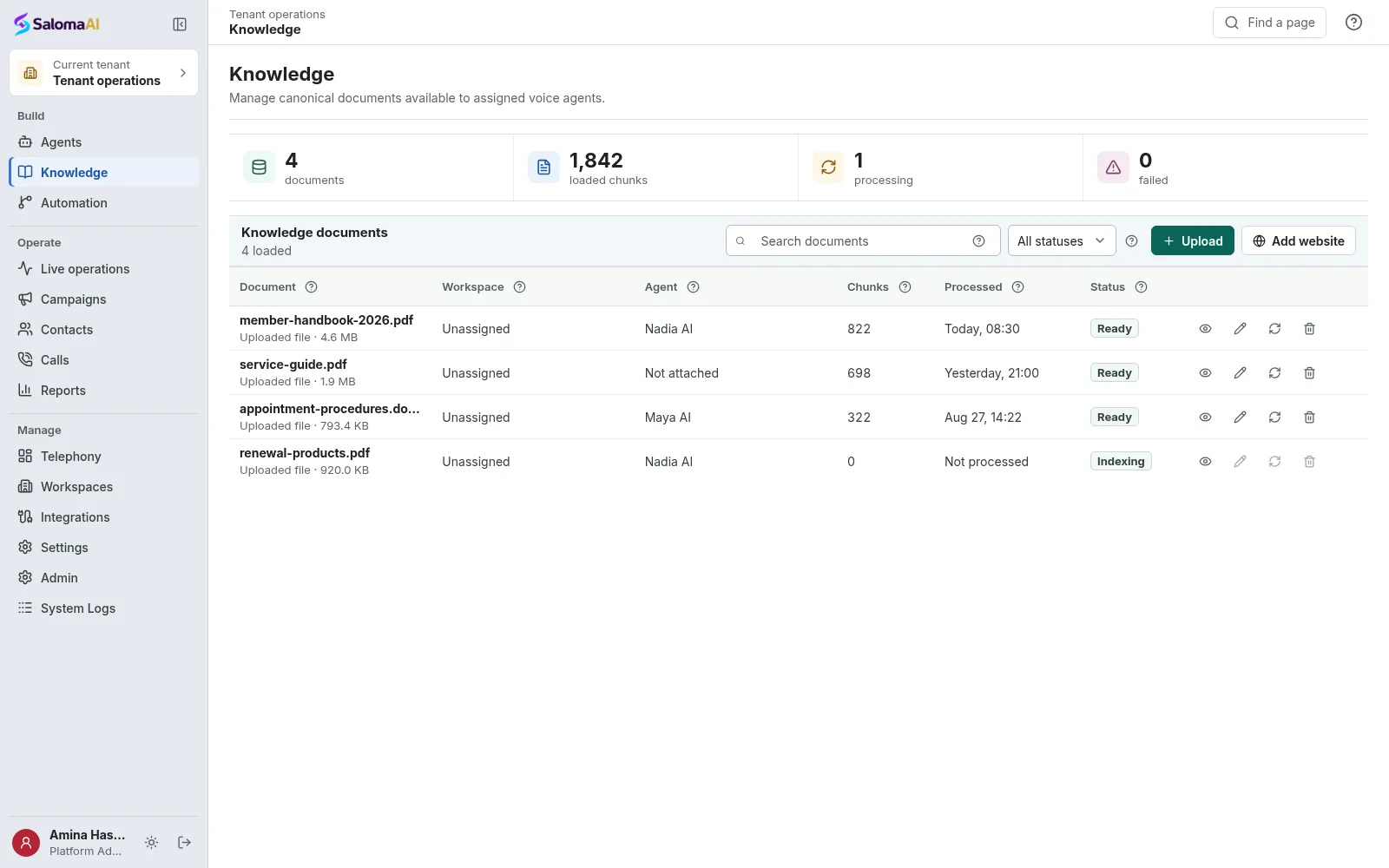
Manage your business knowledge base.
Add business documents and check their processing status. Choose which sources each agent can use.
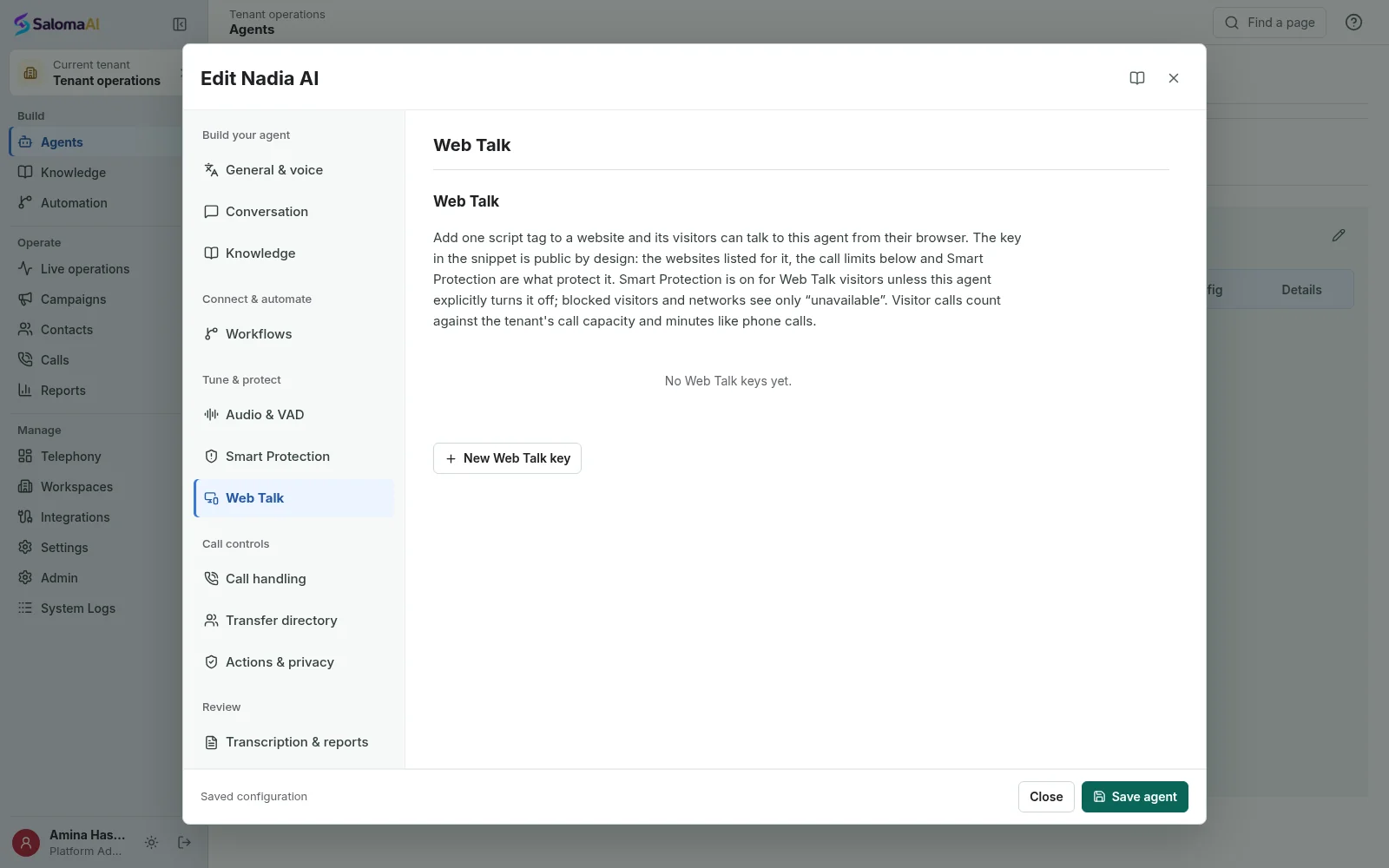
Set up your website call button.
Choose the AI agent for Web Talk. Set website access, button appearance and call limits.
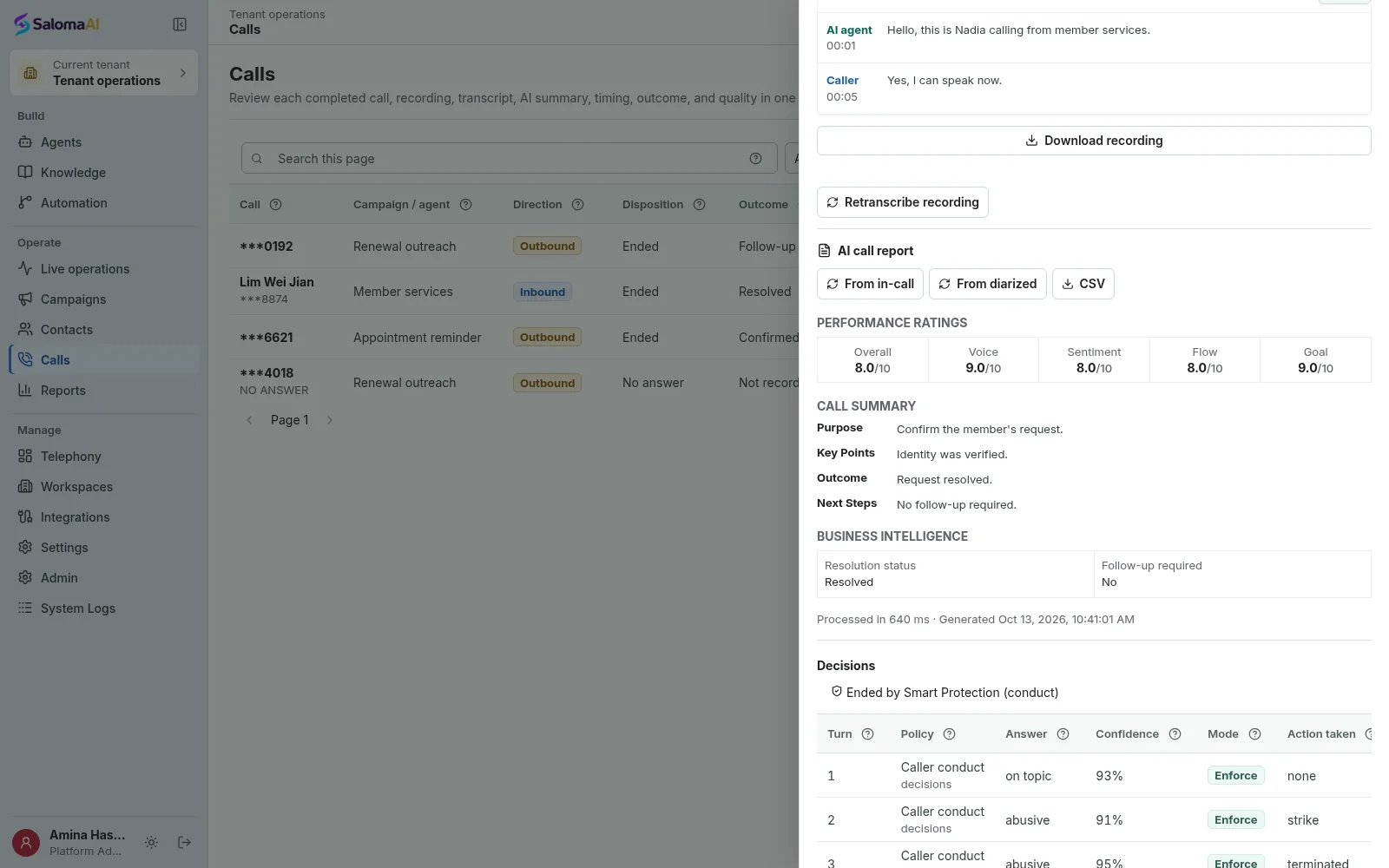
Read a call summary and review decisions.
Read an AI summary, check the call outcome and inspect available decision records.
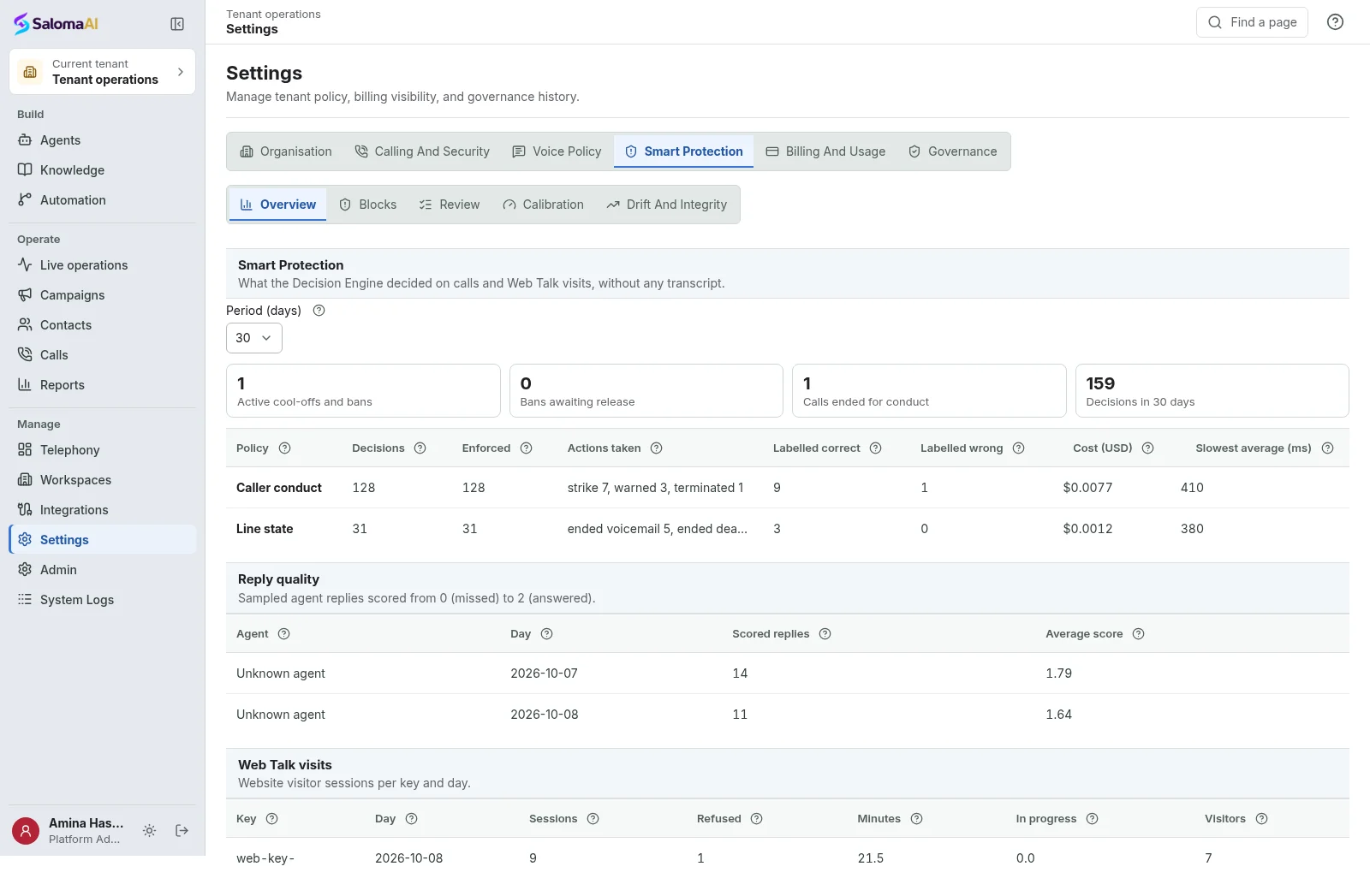
Set and review call protection rules.
Choose protection settings and review the records behind automatic decisions.
See Saloma for your business
See how Saloma
handles your calls.
Tell us about your customer calls, languages and business tools. We will show you the relevant features and explain the setup.
Already using Saloma? Sign in to manage your agents and calls.