
Platform / Human handoff
Monitor AI calls.
Let your team take over.
Human handoff lets a person continue a call that AI started. In Saloma, approved supervisors can listen to phone and website calls and take over in their browser. Phone transfers need a supported call setup.
Live monitoring & human handoff
Listen live and take over a call.
Your team can monitor AI calls and help when needed. Listen from the console or take over in your browser. Set up phone transfers so callers can reach approved staff.
- See current calls in Live Operations. View call status, duration, activity and live transcripts. Approved supervisors can listen or use browser supervisor takeover. The AI stays silent while the person speaks.
- Help callers find a contact by name. Directory search checks nicknames, initials, spelling variations and similar sounds. Optional Name Match Logic uses AI to check uncertain matches and can try a backup model.
- Confirm the person before transferring. Offer a shortlist when names are unclear, with supported spoken or keypad choices. Checks across supported languages separate a directory question from a request to transfer. Asking whether a person works there does not trigger a transfer.
- Set pronunciation hints, transfer retries and hold music. Some short failed transfers can return the caller to AI. Supported checks also identify callback requests, call endings and requests to cancel or restart a workflow.
- Use hold music during longer tasks. Quiet music can play while a supported workflow or connected service responds. It stops when the agent speaks, so the caller is not left with unexplained silence.
See the product
Monitor calls in Live Operations.
See current calls, queued calls and available capacity in one console view.
Actual product screen with sample data, not live customer records. Available controls depend on your role and setup.
View the console tour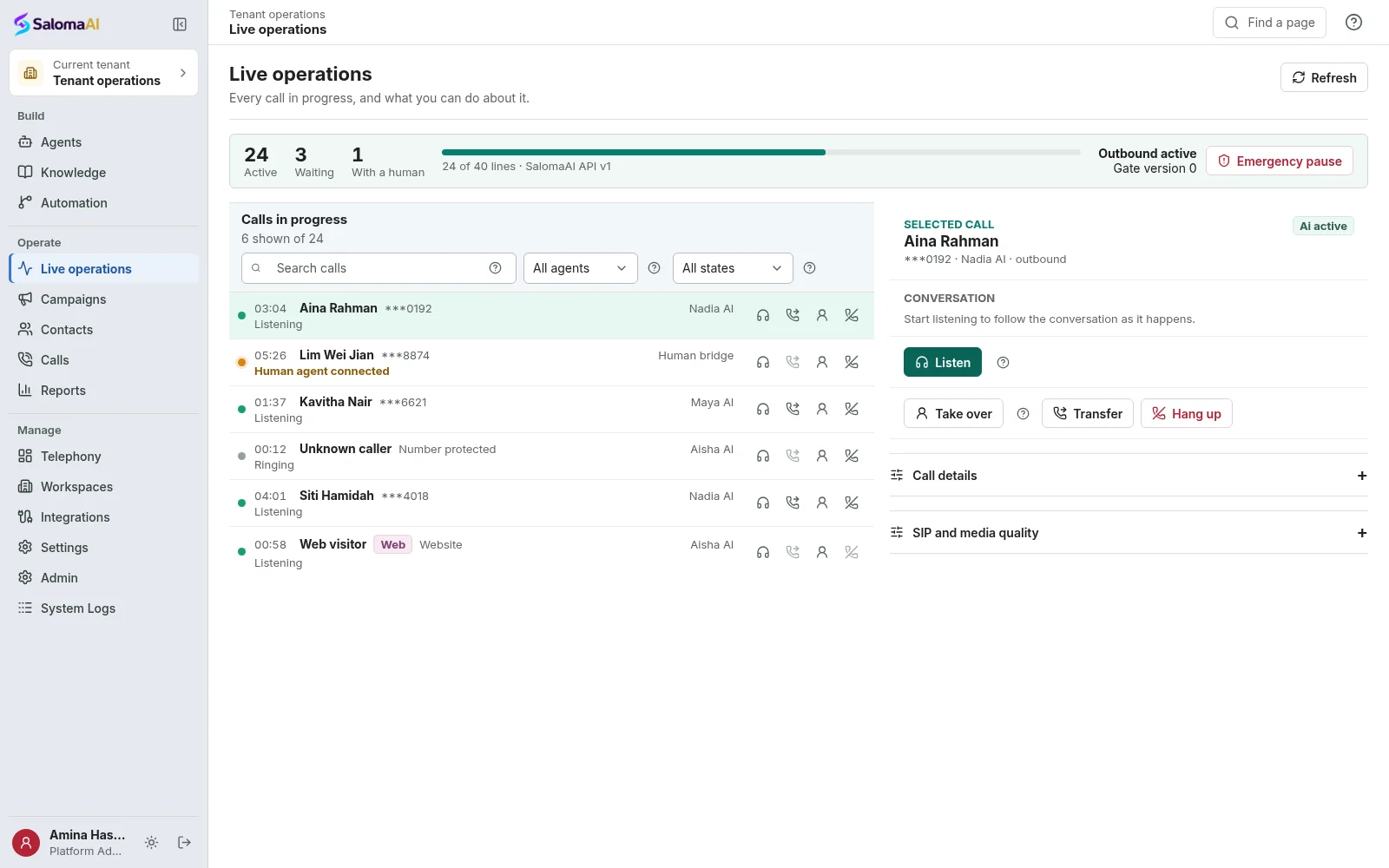
See Saloma for your business
See how Saloma
handles your calls.
Tell us about your customer calls, languages and business tools. We will show you the relevant features and explain the setup.
Already using Saloma? Sign in to manage your agents and calls.