
Platform / AI agents & voices
Choose an AI voice.
Test it before launch.
Choose your agent’s voice, language and response style. Saloma offers 70+ languages across supported voice options. Available languages, tools and call features depend on the model you choose.
AI voices, languages & testing
Choose how your business sounds.
Compare AI voices and languages for your service. Test how the agent speaks and answers questions. GPT-Live also lets you describe an original voice, subject to provider access and limits.
- Choose a voice model for your needs. Options include live voice from Google, OpenAI GPT-Live and Alibaba Qwen. Another option combines Google speech recognition, a separate conversation model and ElevenLabs speech. Filter voices by language.
- Design an original adult voice on GPT-Live, Model 2. Describe its tone, pitch, pace, warmth and English accent. Provider access and quotas apply. Voice creation has no audio preview: save the voice, then listen in a voice test.
- Check model limits before choosing. Google Model 1b is Beta. Model 2 uses OpenAI GPT-Live with Turbo knowledge only. It does not support call workflows, agent-tool workflows, transfers or callbacks. The retired OpenAI Realtime model is only for existing saved agents. Qwen Model 4b is Experimental, with limited languages and Turbo knowledge only.
- Choose speech options on Model 3. Model 3a offers expressive and fast-response speech. Optional Model 3b adds ElevenLabs V4 Turbo and V4 Quality. Model 3b needs configured provider rates above zero. Model 3 lets you select the conversation model and voice separately.
- Start with ten conversation personalities. Set greetings, business facts and the local time zone. Choose one language or multilingual mode. Adjust supported speech speed, interruptions and noise controls. A regional pronunciation setting is a preference, not a guarantee.
- Follow supported language changes during a call. In multilingual mode, the agent can follow the caller’s latest substantial speech. Automatic language switching supports fewer languages than the overall 70+ voice-language range. Fixed-language agents keep their selected language.
- Test settings before applying them. Try a model, voice, language and audio setup in the console browser test. Audio meters show microphone and AI sound levels. Optional recordings and tester names help review tests. Text tests check the permitted knowledge sources, not voice or phone quality.
See the product
Set up and test your AI agents.
Manage your agents, choose their language and voice, and test conversations before launch.
Actual product screen with sample data, not live customer records. Available controls depend on your role and setup.
View the console tour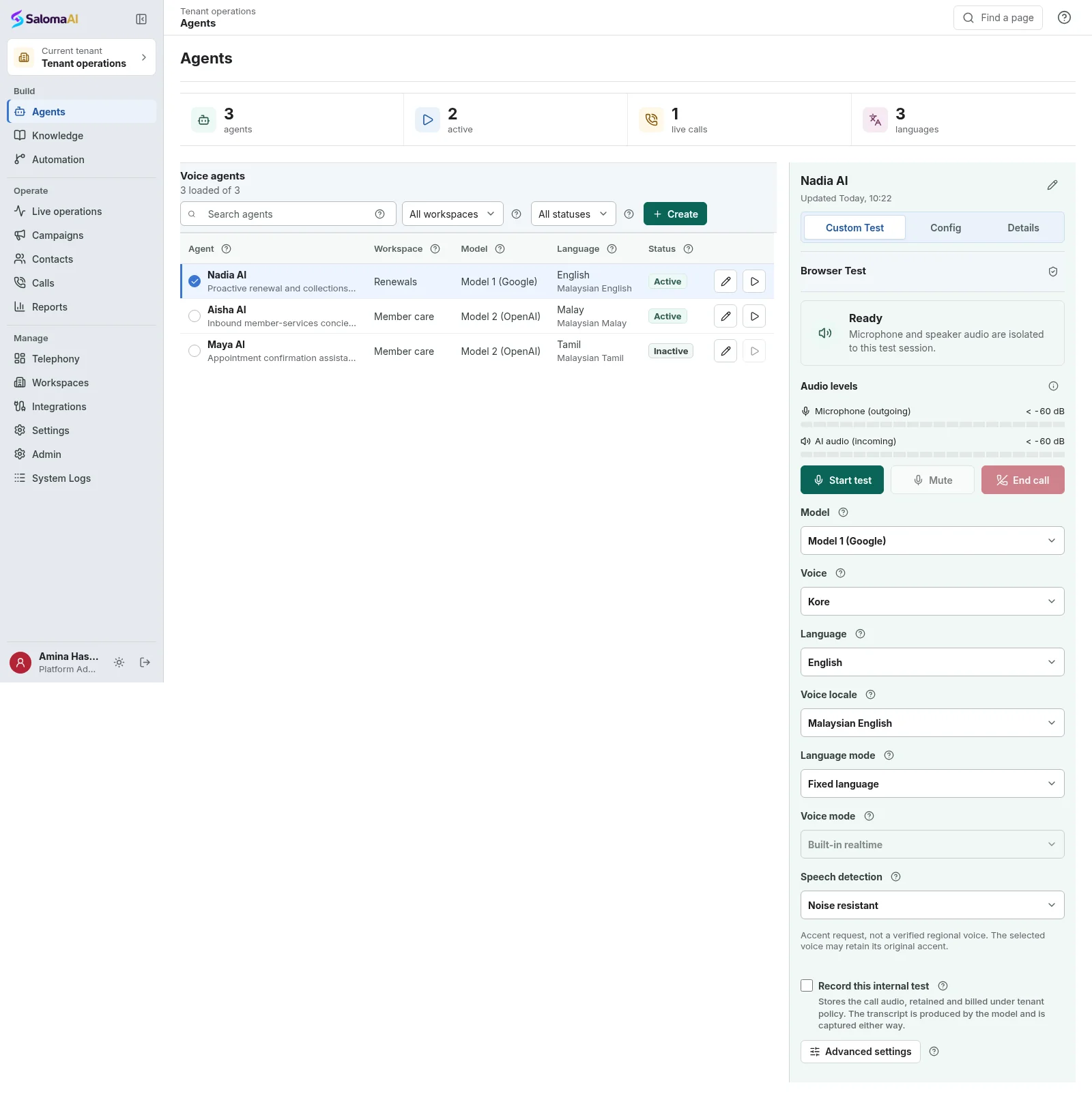
See Saloma for your business
See how Saloma
handles your calls.
Tell us about your customer calls, languages and business tools. We will show you the relevant features and explain the setup.
Already using Saloma? Sign in to manage your agents and calls.